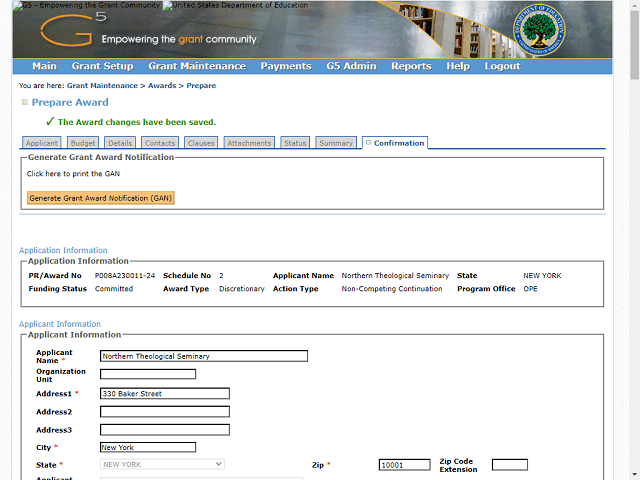
Generate and Print the GAN for a Single NCC Award - Step 30
The system displays a message indicating that the changes have been saved.
Click the Generate Grant Award Notification (GAN) button to generate the GAN.
Next Step
Table of Contents Topic Overview Back