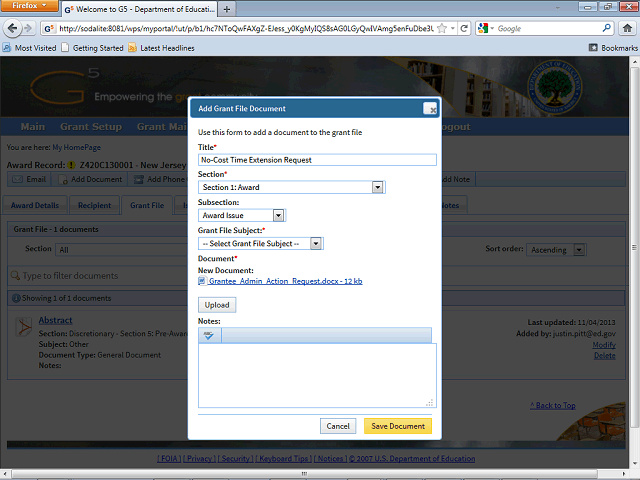
Enter a brief description of the document in the Notes field.
In this example, enter "The grantee is requesting a one year no-cost time extension."
Next Step
Table of Contents Topic Overview BackPress Alt + Left Arrow to return to the previous page