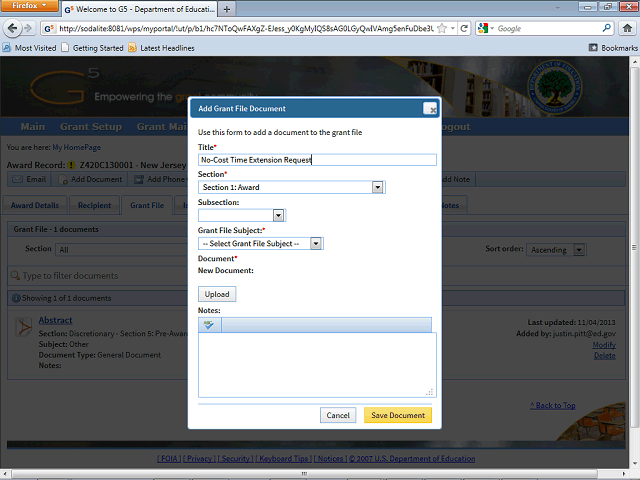
Click the Section field to select the section of the Grant File to which this document will be uploaded.
Next Step
Table of Contents Topic Overview BackPress Alt + Left Arrow to return to the previous page