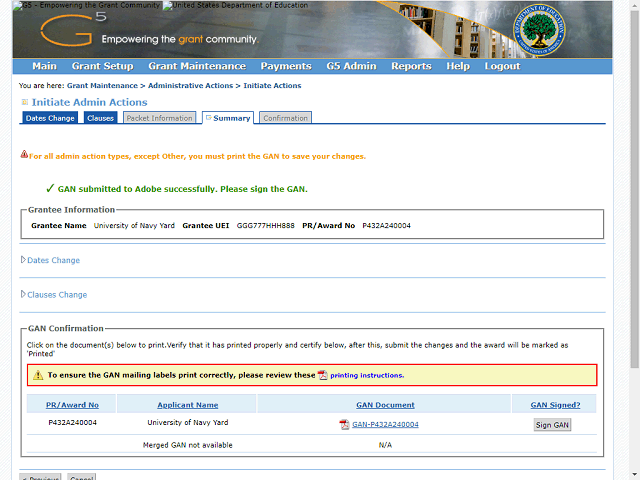
A message will appear confirming that the GAN has been submitted to Adobe.
Click the Sign GAN button.
Next Step
Table of Contents Topic Overview BackPress Alt + Left Arrow to return to the previous page