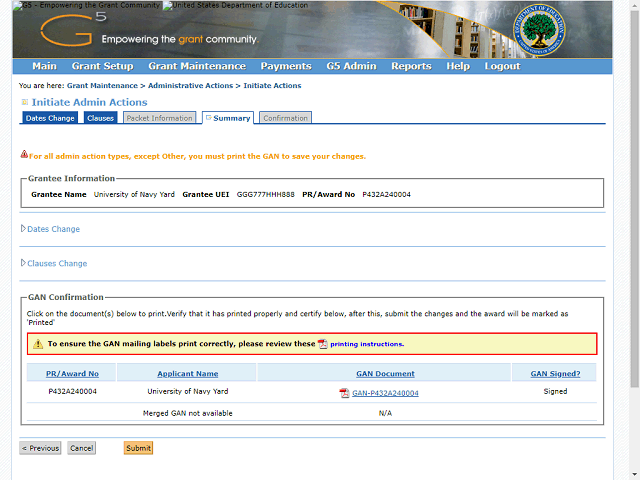
After deleting the file, return to the G5 page. Note that G5 now indicates the GAN has been signed.
Note: If you see the Sign GAN button on this page after performing the e-signature in Adobe, please click the Sign GAN button again to refresh the page. The status should then update to "Signed".