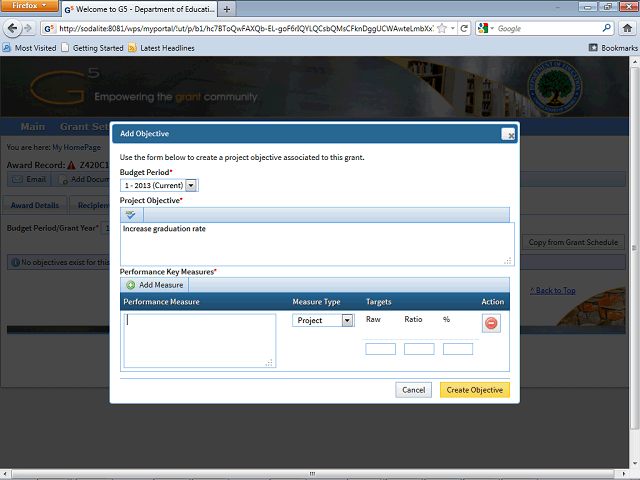
Enter the desired information into the Performance Measure field.
In this example, enter "Graduate 100 students".
Next Step
Table of Contents Topic Overview BackPress Alt + Left Arrow to return to the previous page