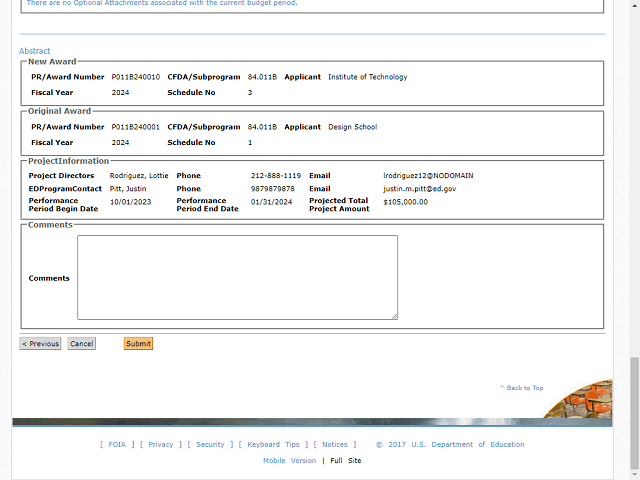
The Abstract is added as the last section of the grants transfer information on the Summary tab.
Click the Submit button to move to the Confirmation tab and generate the GAN.
Next Step
Table of Contents Topic Overview BackPress Alt + Left Arrow to return to the previous page