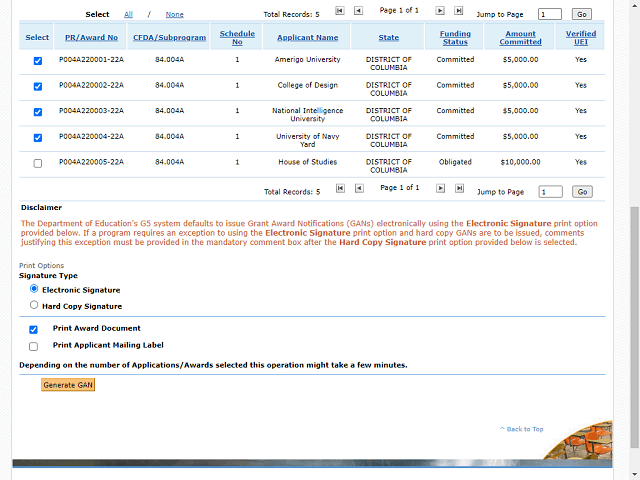
Note: The Signature Type defaults to Electronic Signature. To issue a GAN in Hard Copy users must select the "Hard Copy Signature" option. Selecting the "Hard Copy Signature" option will require users to a enter a comment justifying their decision to override the default.
If you are performing a Hard Copy signature, you can select the "Print Applicant Mailing Label" option to generate mailing labels for the grantee.