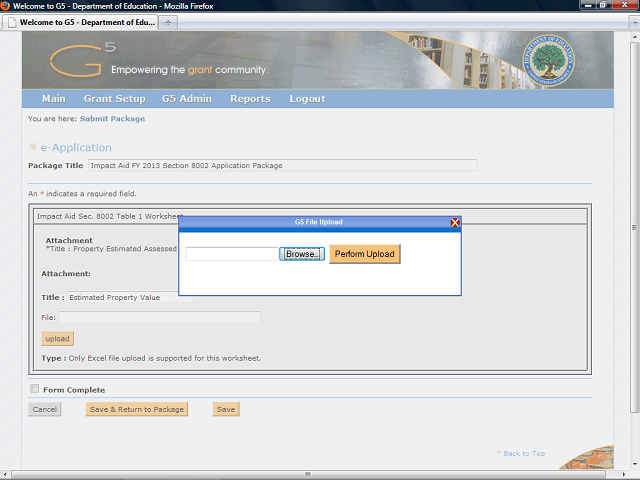
The G5 File Upload box displays. G5 will allow you to upload and attach a file from your desk top.
Click the Browse… button to browse the directory on your desk top.
Next Step
Table of Contents Topic Overview BackPress Alt + Left Arrow to return to the previous page