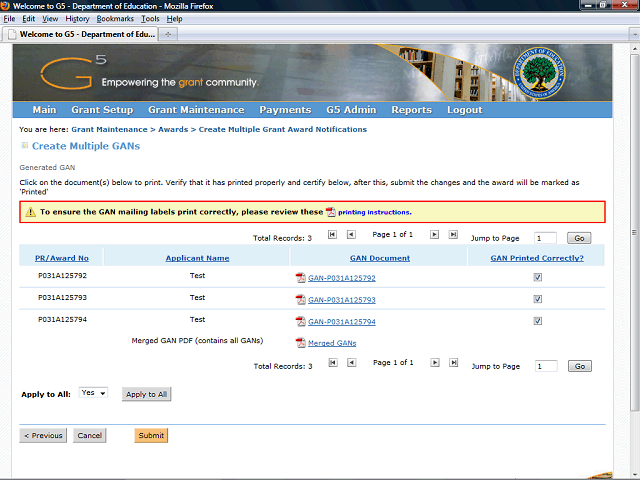
Both awards are marked with check marks to indicate that the GANs printed correctly.
Click the Submit button to submit the information that the GANs printed correctly.
Next Step
Table of Contents Topic Overview BackPress Alt + Left Arrow to return to the previous page