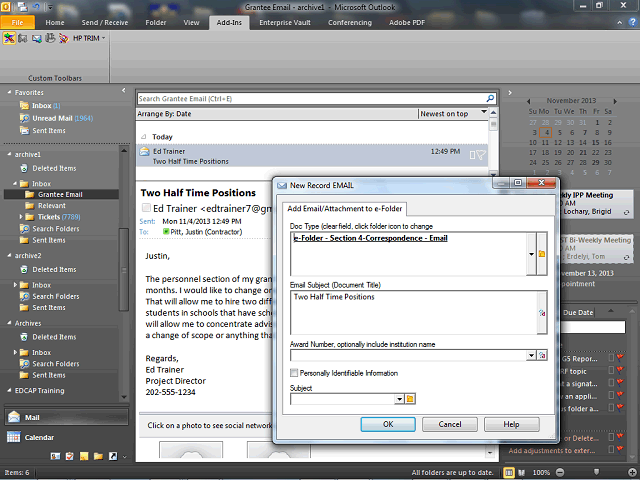
The New Record window displays the following fields:
- Document Type: the section of the Grant File to which the document will be saved
- Email Subject: from the Subject line of the email
- Award Number: the PR/Award number to which the email is associated
- Personally Identifiable Information indicator
- Subject: the Grant File subject to which the email pertains