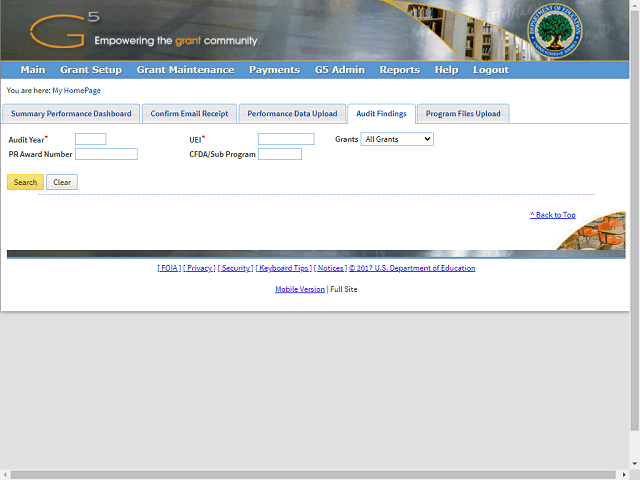
Enter the correct year into the Audit Year field.
For this example, enter a valid value e.g. "2017".
Next Step
Table of Contents Topic Overview BackPress Alt + Left Arrow to return to the previous page