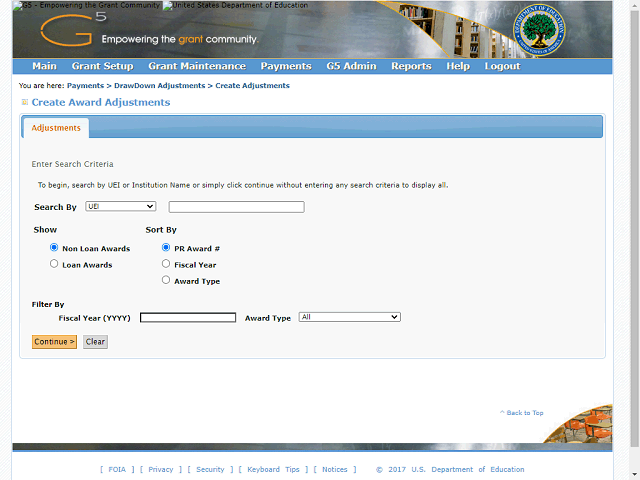
If you have multiple UEIs, you can enter a UEI number or Institution Name in the Search By field to search for a specific payee or leave this field blank to view all payees assigned to you.
Note: Users with a large number of assigned payees will see a significant decrease in the time needed to retrieve a query by searching for a specific payee UEI or adding a filter such as an award type or fiscal year.